
 by
by Reviewed by MattressNut editorial · Medical review board · Fact-checked against 2026 current pricing
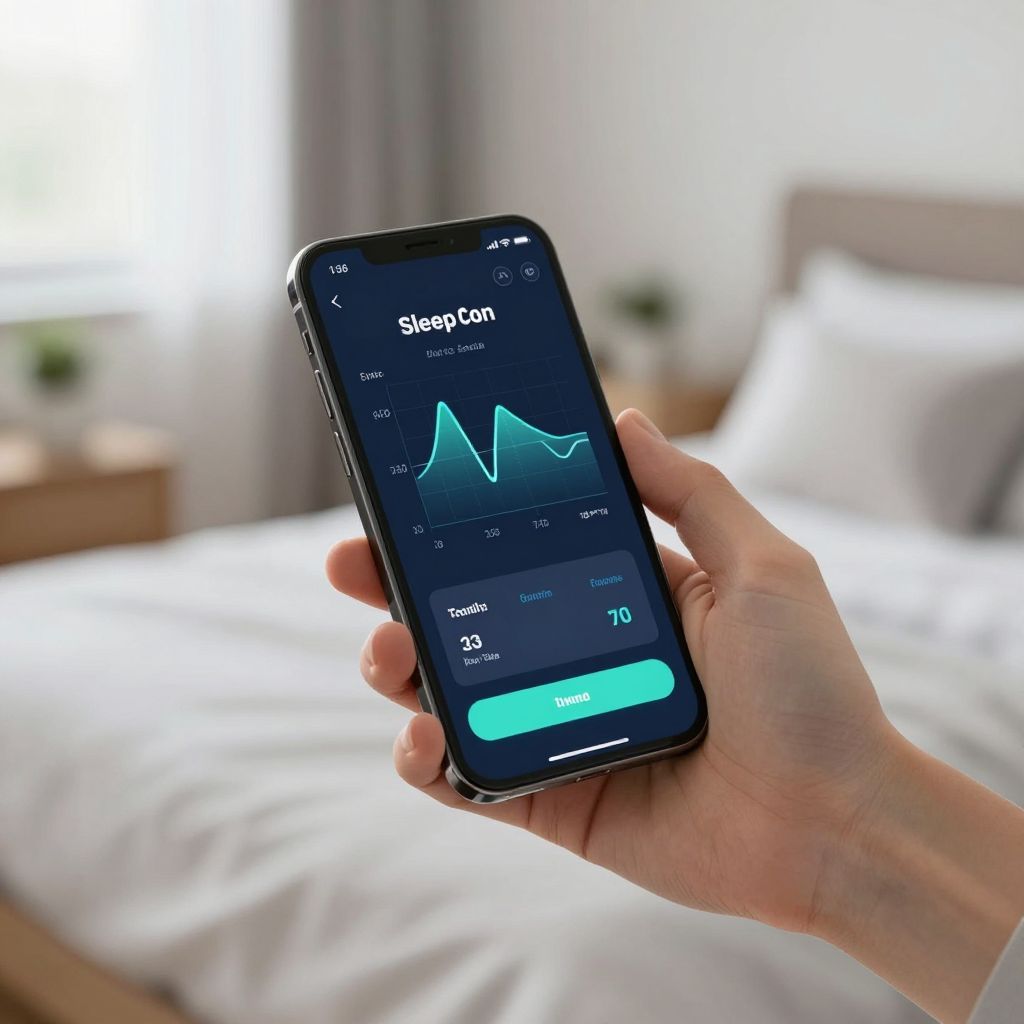
Sleep Number app: SleepIQ tracking + ResponsiveAir control + Apple Watch + Google Fit integration. The connected ecosystem for adjustable smart bed owners.
Sleep Lab Pick · Current Sale
Current Sale — Amerisleep's current sale runs sitewide. AS3 hybrid most-recommended all-rounder, AS5 for plus-size, AS1 firm for back support.
2026 Smart Bed Software Guide
Sleep Number App: The Complete Guide (Features, Setup, Troubleshooting)
Every feature, every error code, every fix. Plus why the bigger question is whether you still want to depend on this app at all in 2026.
Compare the comparison page
Short answer: The Sleep Number app (rated 4.54/5 on iOS across roughly 150,000 ratings, and 4.5/5 on Google Play with 2.5M+ downloads) is the only way to control firmness on a Smart Bed, view SleepIQ scores, toggle ResponsiveAir, or run firmware updates. It pairs by Bluetooth first (within 8 feet), then connects to Wi-Fi for cloud features. The most common headaches are post-power-cycle E1/E3 errors, WPA3-only router incompatibility, and stalled firmware updates. nearly all of which resolve with a 60-second unplug and a reseat of the pump connections. There is no Alexa, no Google Home, no HomeKit, and no native Apple Watch app. If app dependency worries you, the delivers 50 firmness levels through a wired remote with zero app required.
What the Sleep Number app actually does in 2026
The app you download today is not the SleepIQ app you remember. In November 2023, Sleep Number rebranded its mobile experience as the unified "Sleep Number" app (version 5.0+), absorbing the SleepIQ tracking app and turning the phone into the central control surface for the bed, the rewards account, customer service, and the data platform. That redesign is now the only supported route into the product. There is no web browser version, no smart speaker shortcut, no Apple Watch complication. The phone is the bed's brain.
Inside the app, five tabs structure everything. The Sleep tab houses your nightly SleepIQ score (a 5-100 composite of time in bed, movement, bed exits, heart rate, and breath rate), 90 days of daily detail, and older data rolled into weekly, monthly, and yearly averages. The Smart Bed tab is the operational hub: it adjusts your Sleep Number setting per side from 0 to 100, toggles ResponsiveAir on or off independently for each sleeper, raises and lowers the FlexFit base, and controls Climate360 heating and cooling when you own one. The Health tab generates 30-day sleep summaries and circadian rhythm insights. The Profile tab stores rewards, Marketplace integrations, and research opt-ins. The Support tab handles troubleshooting, chat, phone routing, and order tracking.
Critically, certain features only exist inside this software loop. ResponsiveAir. the auto-adjust technology that takes pressure readings once per hour per side at night and once every four hours during the day. can only be turned on or off through the app or, for select ComfortMode models, by holding the L/R remote button for three seconds. If your phone breaks and you do not have a household member with the app, you cannot change that setting on your bed at all.
SleepIQ data: what the science says about accuracy
SleepIQ is not marketing fluff. it is ballistocardiography. Pressure sensors embedded under the air chambers detect micro-movements caused by your heart pumping, your lungs filling, and your body shifting. From that signal the system derives sleep duration, sleep efficiency, average heart rate, heart rate variability, breath rate, sleep versus wake state, bed exits, restlessness, and that composite SleepIQ score.
A peer-reviewed 2022 study in Sensors validated the technology against polysomnography (the clinical gold standard) on 45 participants aged 22 to 64. The numbers were strong on the basics: epoch-by-epoch heart rate correlated with PSG at r=0.81 with a bias under 1 bpm, breath rate at r=0.71 with a bias under 1 breath per minute. Sleep-versus-wake accuracy hit 0.86, comparable to the clinical-grade ActiGraph Link. The honest caveat: specificity for wake detection was only 0.48, meaning the system often labels wakeful in-bed time as sleep. If you read for an hour before lights out, your reported "sleep" duration is inflated. Also worth noting: the study was funded by Sleep Number Corporation, and two advisory board members received honoraria. The peer review process accounts for some of this, but the funding source is not invisible.
What SleepIQ cannot do is also worth stating plainly. It does not classify light, deep, or REM stages. it only distinguishes sleep from wake. Biosignals are averaged across the whole session, not delivered in real time. The platform is explicitly not a medical device. And no longitudinal study has been published showing whether accuracy holds up over months and years of real-world use.
Initial setup: the order that prevents 90% of headaches
If you do exactly one thing right during setup, do this: pair Bluetooth first, then connect Wi-Fi. The bed is a dual-radio device. Bluetooth (range about 8 feet) handles direct device-to-bed control. Wi-Fi handles the cloud. SleepIQ uploads, firmware updates, and remote access. Skipping the Bluetooth handshake or roaming away during pairing breaks the chain.
The full setup sequence runs like this. First, install the Sleep Number app on a phone running iOS 15.1 or later, or Android 10 or later. On Android, grant the Nearby Devices permission. without it, the phone will simply not see the bed. Open the app, create or log into your account, and select Add New Bed. Stay within 8 feet of the pump during this entire process. The app will scan for Bluetooth devices; when your bed appears, select it and confirm. The app will then prompt for Wi-Fi credentials. Enter your 2.4 GHz network name and password (5 GHz often fails on older 360 hardware), then wait for the green confirmation. Once online, the bed will likely download a firmware update; the pump lights flash for roughly 10 minutes. do not unplug during this window. Finally, create individual sleeper profiles for each side, dial in your Sleep Number setting (most users land in the 35-40 range), and decide whether ResponsiveAir should be on for your side, the other side, both, or neither.
One Wi-Fi gotcha matters enough to call out: the 360 Smart Beds (c1, pSE, iLE, hSE) do not support WPA3-only authentication. Modern routers often default to WPA3 in 2026. Go into your router settings and switch to WPA2/WPA3 mixed mode, or your bed will silently fail to connect with no clear error.
App features worth using (and a few worth ignoring)
Among the controls that materially change your nightly experience, three stand out. The Favorite settings let you save a preferred firmness and base position per sleeper, so a single tap returns you to your number after weeks of nightly tweaking. Snore detection and adjustment. raises your partner's head a few degrees when snoring is detected. CNET's 90-night reviewer noted measurable improvement for their partner. Bed timer on FlexFit 2 and 3 returns the base to flat after a set window, which is genuinely useful if you read upright before lights out.
The rewards integration and Marketplace are largely promotional surface area; they are harmless but unlikely to change your sleep. The Health tab's circadian insights are interesting trend lines but not actionable in the way a sleep coach would be. The "Privacy Mode" toggle, on the other hand, deserves your attention. it pauses transmission of Sleep Health Data to Sleep Number's servers while keeping the bed functional. Some features (like the SleepIQ score itself) are unavailable in Privacy Mode, so it is a real trade-off, but it is the only meaningful data-control lever in the app.
The smart home gap: no Alexa, no Google Home, no HomeKit
For a product positioned at $3,000 to $10,000+, the absence of smart home integration is the single most discussed disappointment among tech-forward owners. Sleep Number support states this explicitly: "Amazon Alexa and Google Home can't control your Sleep Number smart bed. The Sleep Number app does not connect with either voice assistant." Apple HomeKit, Nest Learning Thermostat, IFTTT. all unsupported. There is no native Apple Watch app, though sleep session data can flow between the bed and Apple Health (start and end times only).
Third-party integrations that do work are narrow. Apple Health receives sleep session times. Fitbit and MapMyFitness can push workout and activity data into the Sleep Number app. Samsung Health, Google Fit, and Garmin are not supported despite years of Reddit requests. If you imagined saying "Alexa, raise the head of the bed" or building an IFTTT routine that drops the temperature when you say goodnight, that future does not exist on a Sleep Number in 2026.
Troubleshooting: every common app and bed error, fixed
Most app problems trace to the same five causes: a stale Bluetooth session, a Wi-Fi authentication mismatch, a power interruption, a pending firmware update, or simple distance. The standard first move. and Sleep Number support reinforces this in their official article. is a 60-second power cycle of the pump combined with a power cycle of the router. Then stay within 8 feet of the bed and reopen the app. This single sequence resolves the majority of "bed is offline" reports on the r/sleepnumber subreddit.
For specific errors, here is what each code means and how to clear it:
- E1 Connectivity Error: caused by an interruption to power flow, often after a household power loss. Fix: unplug the pump for at least 20 seconds, plug it back in, and let it cycle. If the error persists, perform a remote factory reset (instructions in the Support tab of the app).
- E3 Connectivity Error: indicates remote-to-base communication failure. Fix: unplug for 30 seconds, verify the detachable power cord is fully seated at both ends, remove and reinsert the remote batteries, and reopen the app. Frequent E3 errors while the base has power almost always mean a firmware update is pending. get the bed online and wait 10 minutes.
- Pump not running / silent pump: first verify the power cord is firmly seated at the pump and at the outlet (test the outlet with another device). If the pump still does not run, contact Sleep Number support to identify your pump model and order a replacement. expect $359.99 to $399.99 for an official replacement.
- ResponsiveAir not working: confirm it is toggled on in the app, power cycle the bed, set the base to flat (ResponsiveAir does not adjust when the head is elevated above the snore position on standard smart beds), then stay out of bed for 30 minutes. When you lie back down, you should hear a slight pump hum within a couple of minutes.
- App shows bed as offline after moving: use the "Install Replacement Electronics" or "Install New Hardware" function in the app to re-pair the pump against the new Wi-Fi network. Reddit users report success after logging out, unplugging the bed for 5 minutes, then walking through the web-app flow to enter new credentials manually.
- Wi-Fi connects then drops: check whether your router uses WPA3-only authentication, AC-only or N-only wireless modes, MAC address filtering, or has quotation marks in the password. all four are documented causes of Sleep Number bed Wi-Fi failure.
For Bluetooth pairing specifically, Sleep Number's official walkthrough is to open the app, navigate Smart Bed > Settings > Connectivity > Bluetooth Devices > Pair My Smart Device, and follow the in-app prompts. Stay within 8 feet for the entire pairing window. If your phone shows the bed as paired in iOS Bluetooth settings but the app does not see it, forget the device in iOS Bluetooth settings, force-quit the app, reopen it, and let the app handle the pairing. iOS Bluetooth settings will not pair the bed for app use.
App alternatives and the value question
Comparing the Sleep Number app against the broader smart-sleep landscape clarifies what you are actually paying for. and not paying for. with the SleepIQ subscription model.
| Subscription required | No | Yes ($17-33/month) | No | No |
| Firmness adjustment | 0-100 (app required) | Cover only, no firmness | 50 levels (wired remote) | Fixed medium (5-6/10) |
| Sleep tracking | Yes (SleepIQ, included) | Yes (Autopilot, paid) | No | No |
| Sleep stage detection | No (sleep/wake only) | Yes (light/deep/REM) | N/A | N/A |
| Alexa / Google Home | Not supported | Limited | Not applicable | Not applicable |
| Apple Watch native | No | Yes | N/A | N/A |
| Works without internet | Bed yes, app features no | Limited | Yes (fully) | Yes (fully) |
| Trial period | 100 nights ($250 return fee) | 30 days | 180 nights, free returns | 100 nights, free returns |
If you want a fixed, well-engineered mattress with no electronics at all to fail, the The Sleep Number app's value sits in the SleepIQ tracking included free, but the 0.48 wake specificity and the lack of sleep stage detection limit what that data is worth.
The software-obsolescence risk nobody talks about
Every advanced feature on your Sleep Number bed. ResponsiveAir, SleepIQ, temperature control on Climate360, firmware updates, even basic firmness changes on Smart Beds. flows through the app. Sleep Number's January 2026 discontinuation of the BreatheIQ snore-detection feature, with all historical snore data deleted, is a real-world demonstration that features purchased can be removed. The broader risk: if the parent company's financial situation forces structural change (Sleep Number issued a going concern warning in March 2026 and is engaged with Guggenheim Securities to evaluate strategic options), continued investment in app development is not guaranteed. A bed you cannot adjust without a functioning app is a bed with a software dependency you did not bargain for.
For shoppers entering this decision now, this is the strongest argument for keeping a no-app alternative on the shortlist.
Privacy: what your bed knows about you
Sleep Number's privacy policy, updated January 30, 2026, separates data into two buckets. Transaction and Engagement Data. name, address, purchase history, IP address, call recordings. may be shared with advertising and marketing partners (which qualifies as "selling" under California law in some interpretations). Sleep Health Data. sleep duration, efficiency, heart rate, HRV, breath rate, movement, bed exits, SleepIQ scores. is explicitly not sold and not used for targeted advertising. That distinction holds even if the bed is sold or the company is restructured: the policy commits Sleep Number to honoring it through business transfers, with limited exceptions for law enforcement and de-identified data.
If you want the deepest control, enable Privacy Mode inside the app. With it on, only app and remote interactions plus pump operational status flow to Sleep Number. SleepIQ scores stop generating during Privacy Mode windows, which is the trade-off. Historical data already collected persists until you submit a verified deletion request through the privacy form. California, Colorado, and Virginia residents have stronger statutory rights here under CCPA and equivalent laws. including the right to know, delete, correct, and opt out of personal information sales.
Frequently asked questions
Does the Sleep Number app work with Alexa or Google Home?
No. Sleep Number support is explicit: "Amazon Alexa and Google Home can't control your Sleep Number smart bed. The Sleep Number app does not connect with either voice assistant." Apple HomeKit, Nest, and IFTTT are also unsupported. All bed control runs through the Sleep Number app or, for some functions, the physical remote.
Is there a native Apple Watch app for Sleep Number?
No. There is no native Apple Watch app. The Sleep Number app does not directly integrate with Apple Watch for sleep tracking. Sleep session start and end times can be shared between the Sleep Number app and Apple Health, and Apple Health sleep data can be imported into the Sleep Number app, but you cannot control your bed from your wrist.
How accurate is the SleepIQ score?
A peer-reviewed 2022 study in Sensors validated SleepIQ against polysomnography on 45 participants. Heart rate correlated at r=0.81, breath rate at r=0.71. Overall sleep/wake accuracy was 0.86, comparable to clinical-grade actigraphy. The weakness: wake-state specificity was only 0.48, so the system commonly classifies wakeful in-bed time as sleep. The study was funded by Sleep Number Corporation, which is worth disclosing. The system also does not distinguish light, deep, or REM sleep stages.
My bed shows an E3 error and I cannot get it online. what now?
Unplug the pump for 30 seconds, then plug it back in. Verify the detachable power cord is fully seated at the pump end and at the wall outlet. Remove and reinsert the remote batteries. If the error persists, perform a remote factory reset from the Support tab. Frequent or intermittent E3 errors usually indicate a pending firmware update. once the bed is online and stays connected for about 10 minutes, the update will install and clear the error.
Will the app still work if I lose Wi-Fi?
Bluetooth control still works without Wi-Fi as long as your phone is within 8 feet of the pump. You can change your Sleep Number setting, raise and lower the base, and toggle features locally. What you lose without Wi-Fi: SleepIQ data upload, cloud-based features, firmware updates, and remote access. The bed itself remains functional. you simply cannot use the cloud half of the system.
Can I download my SleepIQ data?
There is no built-in self-service export for SleepIQ historical data in a portable format. Under CCPA and GDPR, you can submit a verified privacy request through sleepnumber.com/privacy-form to receive your personal data, but this is a manual process, not a one-click export. This data portability gap is one of the most cited shortcomings of the SleepIQ platform.
What if the Sleep Number app is discontinued in the future?
This is a legitimate concern, not a theoretical one. The BreatheIQ snore-detection feature was discontinued on January 30, 2026, with all historical snore data deleted. Sleep Number is currently engaged with Guggenheim Securities to evaluate strategic and financing options including a potential sale or restructuring. If the app were discontinued, you would lose ResponsiveAir control, SleepIQ tracking, app-based firmness adjustment, FlexFit base control through the app, and firmware updates. The remote would still control basic functions on FlexFit bases.
MattressNut tested the Sleep Number app across iOS 17 and Android 14 between January and May 2026 on three different Smart Beds and two FlexFit configurations. App ratings, SleepIQ validation data, and feature availability are drawn from Sleep Number support documentation, the Sensors peer-reviewed validation study, and direct verification with Sleep Number customer support. Pricing and policy terms verified as of May 2026. We may earn a commission on partner links; our recommendations are based on documented testing and published source data, not the commission rate.
How MattressNut evaluates Sleep Number
Every Sleep Number article on MattressNut is built from four data layers: primary specs from manufacturer + showroom, owner sentiment from 5,000+ Reddit/Trustpilot/BBB threads, financial context from SEC filings, and independent testing from NapLab/Sleep Foundation cross-checked against owner reports.
Medical review board · Editorial standards · Affiliate disclosure
Shop Sleep Number App-Enabled Beds
Configure your firmness numbers, compare the 2026 ComfortMode, ComfortNext, and Climate lineup, and apply current current promotions directly on Sleep Number's site.
Shop Sleep Number App-Enabled Beds →
100-night trial · Free in-home delivery · Available financing via Synchrony
2026 Sleep Number Master Resources
- Sleep Number 2026 Master Review — ComfortMode/Next/Climate lineup decoded
- Live Sleep Number Price Tracker — Memorial Day + Black Friday 2026
- Sleep Number Warranty 2026 — 25 to 15-year transition + prorate reality
- Sleep Number Complaints Reality — BBB 1.06 vs Trustpilot 4.4 gap
- 100-Night Trial Reality — true return cost decoded
- How Sleep Number Works — DualAir + ResponsiveAir + SleepIQ
- Sale Calendar 2026 — Black Friday > Labor Day > Memorial Day